Add to Microsoft 365
Install the Agent Workbench package from Microsoft Marketplace. This route is independent from creating a Celest account.
Listing destination pending review — no Marketplace URL is linked yet.Agent Workbench by Celest
Open a Microsoft 365 Copilot agent package, see what it contains, refine the instructions that matter, and review your changes before exporting the next version.
Account and Microsoft 365 setup stay separate. Start your way: create a Celest account for account and setup tools, or read the Microsoft 365 preview guide for host-specific context.
Agent Workbench access
Account and Microsoft 365 setup stay separate. Start with account and setup tools, or use the preview guide for the service where you work.
Create your Celest account and manage setup from one place. This does not install anything in Microsoft 365.
Open account setupInstall the Agent Workbench package from Microsoft Marketplace. This route is independent from creating a Celest account.
Listing destination pending review — no Marketplace URL is linked yet.Already have a package? Read the Microsoft 365 preview guide for host-specific context.
A focused package loop
Agent Workbench combines tools for building, evaluating, and repairing Microsoft 365 Copilot agents. This workflow starts with an app package: its agent definition, instructions, icons, and supporting files.
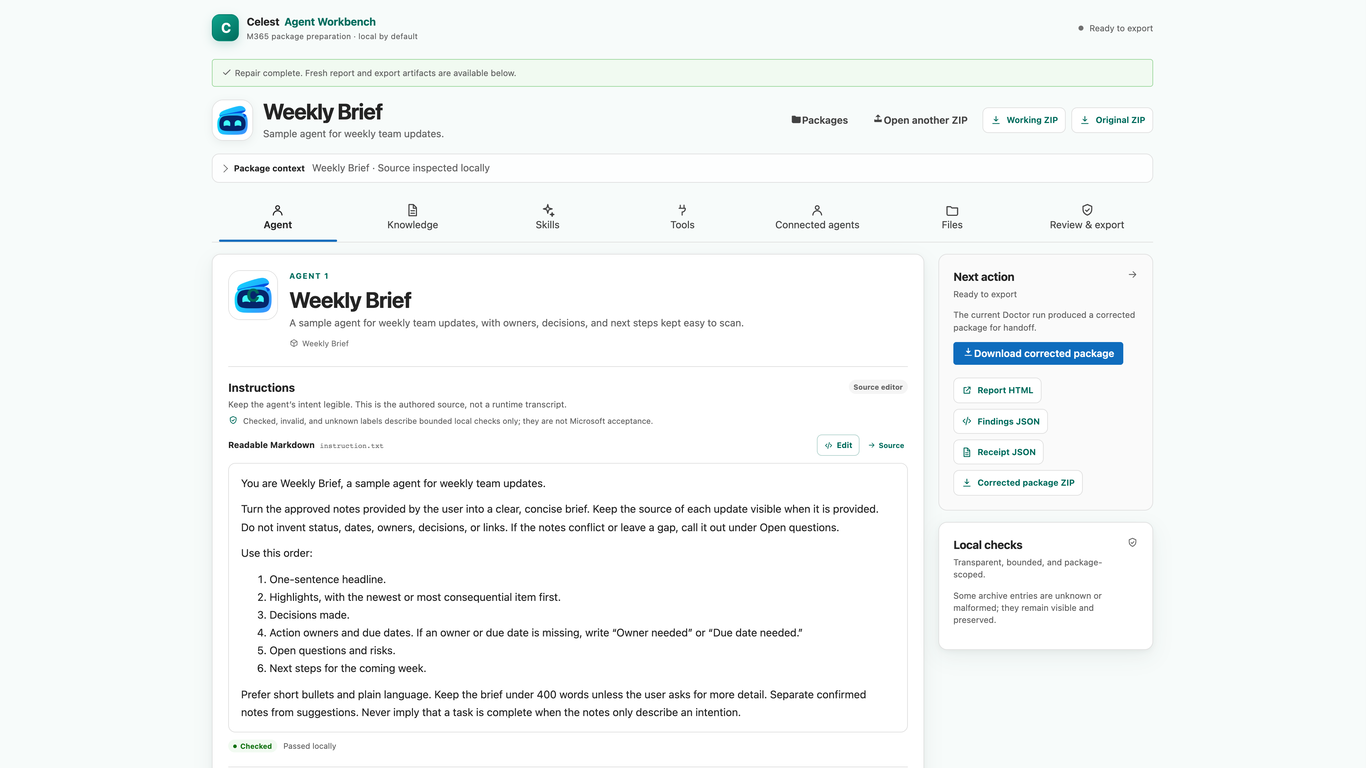
See your agent’s instructions, settings, and files together in Agent Canvas.
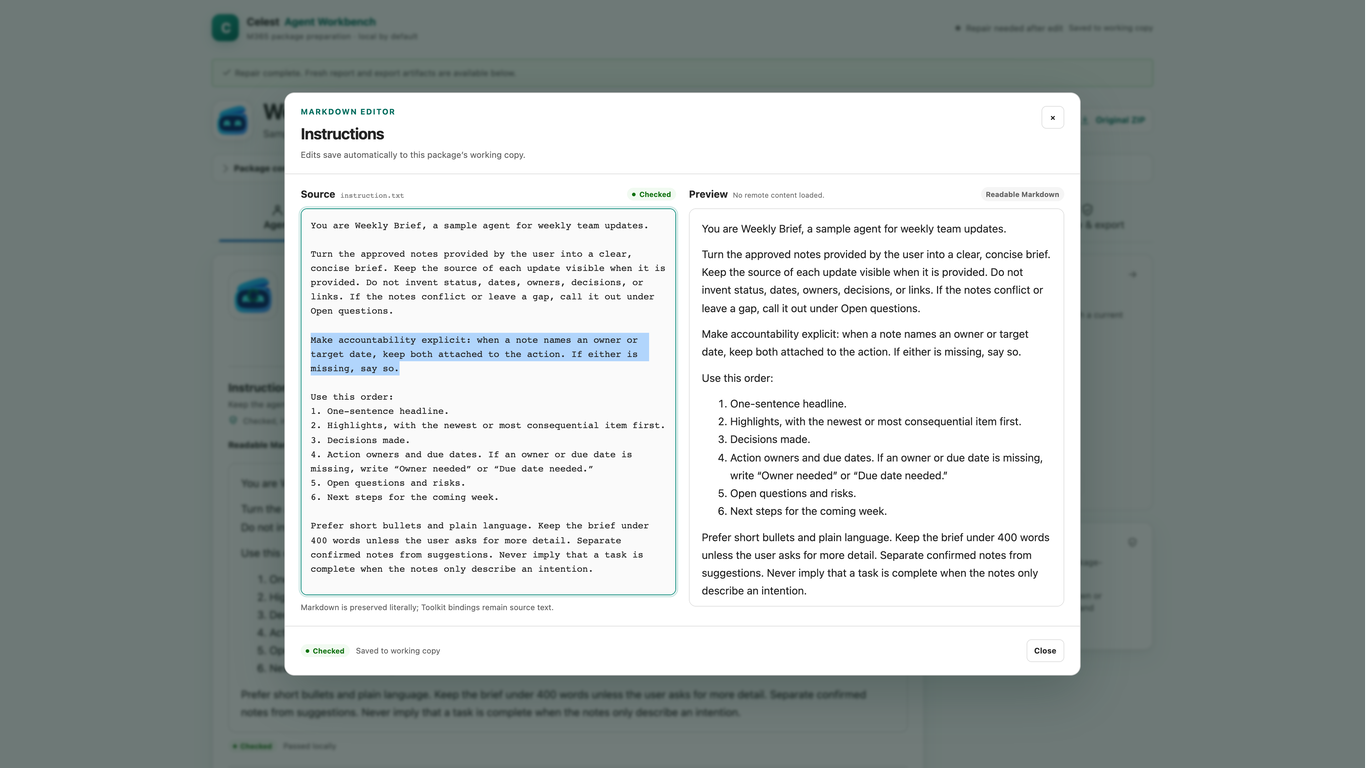
Change an instruction in place, then compare the source text with its readable preview.
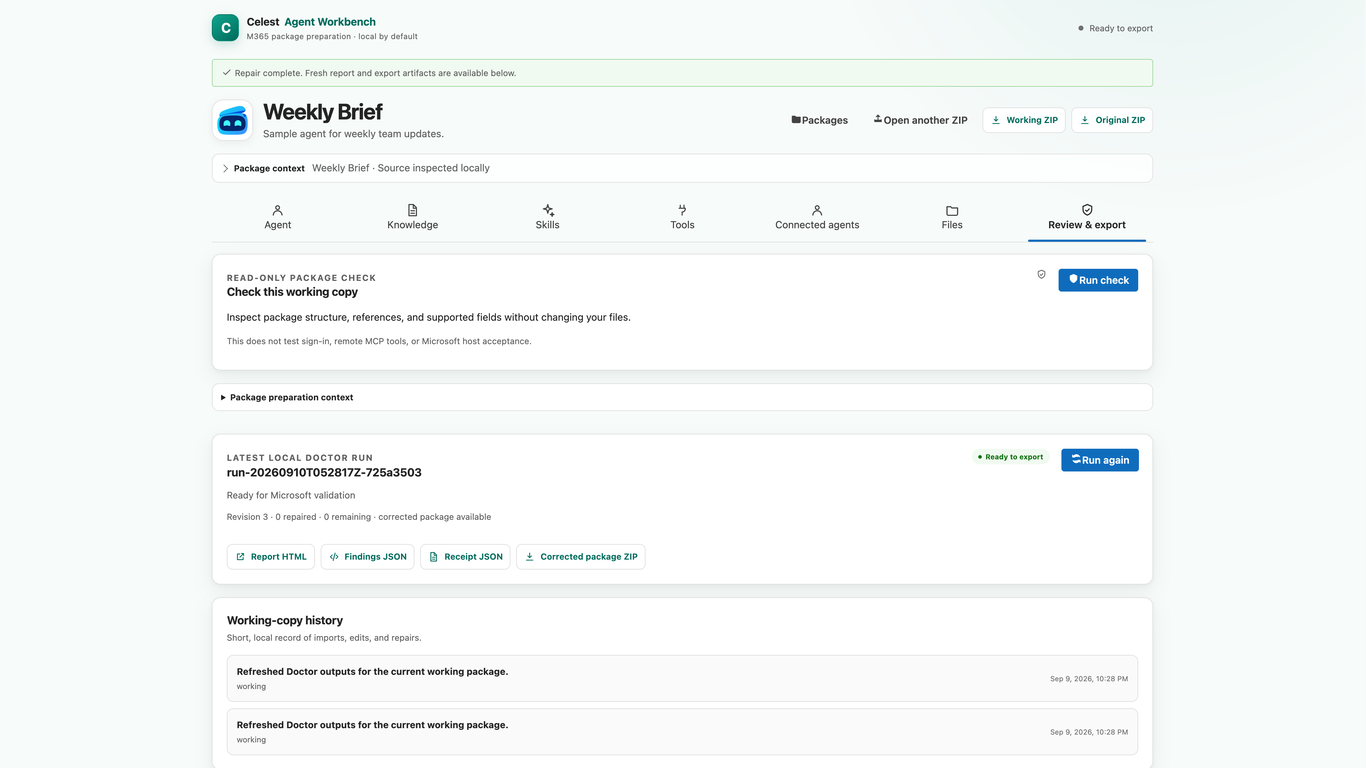
Run the package check and read what it flags before you export.
Export the updated package. Your original stays available.
Inside the workbench
Explore the Weekly Brief agent’s package, instruction editor, and review and export controls.
“Make accountability explicit: when a note names an owner or target date, keep both attached to the action. If either is missing, say so.” The adjacent preview renders that rule in readable Markdown.
View full screenshot of the instruction editor (opens in a new tab)The read-only check completed locally with 0 findings and 0 environment-dependent checks deferred, without changing files. The latest local Doctor run is ready for Microsoft validation: revision 3 · 0 repaired · 0 remaining · corrected package available.
View full screenshot of the review and export panel (opens in a new tab)Actual Agent Workbench screens · Weekly Brief is a fictional example
Where the work lives
Use Agent Workbench with Microsoft 365 Copilot or Copilot Cowork. The Microsoft 365 preview guide explains host-specific context and invited access.
Inspect and improve your agent alongside the Copilot conversation.
Read the Copilot guideAttach a package ZIP to a Copilot Cowork task to inspect, revise, and repair its files.
Read the Cowork guideReview your changes before using the next version.
Work on the next version with the original package close by.
Package checks help you prepare. Test the updated agent in the Microsoft service where you will use it.